
Which Is the Best Cloud Solution for Your Business: Public, Private, Hybrid, and Multi-Cloud ?
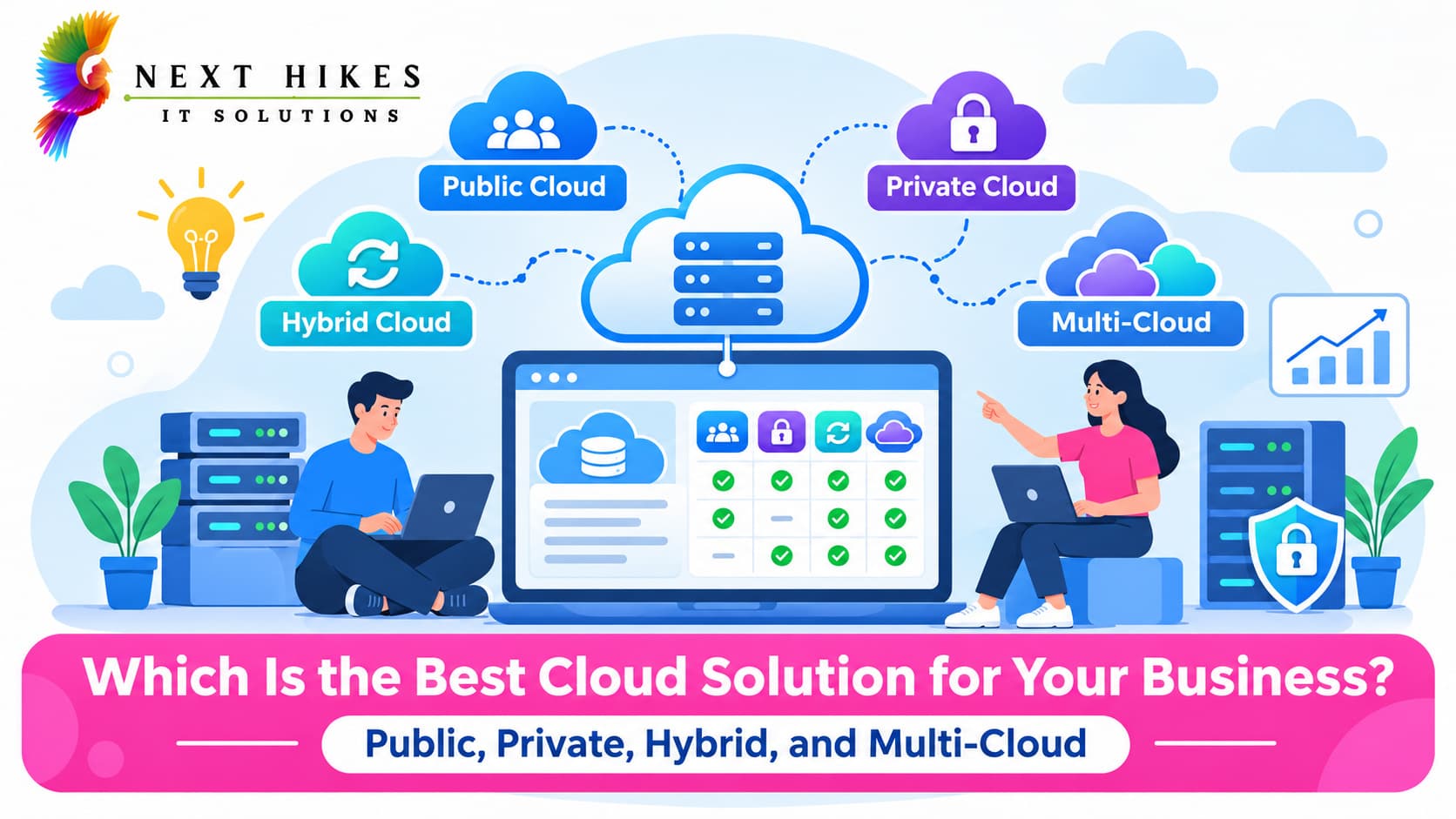
There is no single best cloud solution for business. The right choice depends on your budget, security needs, workloads, and growth plans. This guide explains the four main options so you can decide with confidence.
What Is Cloud Computing?
Cloud computing means using servers, storage, databases, and software over the internet instead of owning and running physical hardware. You rent the capacity you need from a provider and pay for what you use.
Why Are Businesses Moving Towards Cloud Solutions?
Business cloud computing removes much of the upfront hardware spending and the delay of buying and installing servers. Teams can launch new applications faster, scale capacity up or down as demand changes, and recover more easily from outages. Remote work has also made cloud-based access to shared systems a practical necessity for many organizations.
Understanding Different Cloud Deployment Models
Cloud deployment models describe where your cloud infrastructure runs and who can use it. They are public, private, hybrid, and multi-cloud. Do not confuse them with cloud service models (IaaS, PaaS, and SaaS), which describe what is delivered, such as raw infrastructure, a development platform, or finished software. Any deployment model can offer all three service models. This article focuses on deployment models.
Understanding the Four Types of Cloud Solutions
1. Public Cloud
Public cloud services are delivered over the internet by a provider such as AWS, Microsoft Azure, or Google Cloud Platform. Multiple customers share the provider's physical infrastructure, though each customer's data and workloads are logically isolated.
Key features: Pay-as-you-go pricing, rapid provisioning, and a broad catalog of managed services. The provider maintains the hardware.
Advantages: Low upfront cost, fast scaling, and less infrastructure to manage.
Disadvantages: Less control over the underlying environment, costs that can grow if usage is not monitored, and shared-responsibility security that you must configure correctly.
Best use cases: A startup launching a new app can use public cloud services to avoid buying servers and pay only as customers arrive. It also suits development and testing, websites, and workloads with unpredictable traffic. This is an example, not a universal rule.
2. Private Cloud
A private cloud is dedicated to one organization. It can run in your own data center, in a third-party facility, or on infrastructure hosted for you by a provider.
Key features: Single-tenant resources, deeper customization, and direct control over security policies, networking, and data location.
Advantages: Greater control, easier alignment with strict compliance rules, and predictable performance for specialized workloads.
Disadvantages: Higher upfront investment in many cases, more responsibility for maintenance and skilled staff, and slower scaling than public cloud.
Best use cases: A bank may keep sensitive transaction systems on private cloud infrastructure to control exactly where data lives and who can reach it. Private cloud is not automatically more secure than public cloud, since security depends on how either one is configured and managed.
3. Hybrid Cloud
Hybrid cloud combines a private environment (on-premises or hosted) with one or more public cloud services, connected so data and applications can move between them.
How it works: A secure network connection and management tools link the two environments. Each workload runs where it fits best, and some run across both.
Advantages: Flexibility to keep sensitive data private while using public cloud for scale, and a gradual path for companies with existing infrastructure.
Disadvantages: Greater architectural complexity, integration effort, and the need for consistent security and monitoring across environments.
Best use cases: An enterprise might keep customer records in a private environment while running seasonal reporting or customer-facing apps in the public cloud when demand spikes.
4. Multi-Cloud
A multi-cloud strategy uses services from two or more public cloud providers, for example AWS for one workload and Google Cloud for another.
How it works: Teams choose providers by strength, price, region, or compliance need, then manage them with common tools and policies.
Hybrid vs. multi-cloud: Hybrid cloud mixes private and public environments. Multi-cloud mixes multiple providers. A business can be both, but one does not imply the other.
Advantages: Reduced dependence on a single vendor, the ability to pick best-fit services, and more options for regional or regulatory needs.
Disadvantages: Added complexity, skill requirements across several platforms, and harder cost and security oversight.
Best use cases: A global business may run analytics on one provider, its main application on another, and use a third where local data rules apply.
Benefits of Choosing the Right Cloud Solution for Your Business
A good fit between your needs and your cloud model pays off in several ways:
Improved business scalability: Add or remove capacity as demand changes, without waiting on hardware orders.
Better cost management: Match spending to actual usage, and avoid paying for capacity you do not need.
Enhanced data security: Apply the right controls to the right data, such as encryption, access management, and monitoring suited to each workload.
Improved operational efficiency: Free your IT team from routine maintenance so they can focus on projects that move the business forward.
Business continuity and disaster recovery: Back up data and run workloads across multiple zones or regions to reduce downtime risk.
Popular Cloud Service Providers to Consider
Amazon Web Services (AWS): One of the largest and most mature platforms, with a very broad service catalog covering compute, storage, databases, analytics, and more. A common choice for startups and enterprises alike.
Microsoft Azure: Strong integration with Microsoft products such as Windows Server, Active Directory, and Microsoft 365, plus solid hybrid tooling. Often attractive to organizations already invested in Microsoft technology.
Google Cloud Platform (GCP): Known for data analytics, machine learning, and container-based workloads built on Kubernetes, which Google originally developed.
Other cloud infrastructure providers: Options such as IBM Cloud, Oracle Cloud, and regional or specialized providers can suit specific workloads, data residency rules, or private cloud deployments.
Common Cloud Adoption Mistakes Businesses Should Avoid
Choosing a cloud model based only on price: The cheapest option on paper can cost more once security, support, and management effort are included.
Ignoring security and compliance: Moving to the cloud does not remove your responsibility for access control, encryption, and regulatory obligations.
Not planning for future scalability: A setup that fits today may constrain you after a year or two of growth.
Overlooking migration and integration costs: Moving data, rewriting applications, retraining staff, and connecting existing systems all take time and budget.
Poor cloud resource management: Unused instances, oversized servers, and missing tagging or budgets quietly inflate bills. Regular reviews help.
A Step-by-Step Guide to Selecting an Effective Cloud Strategy for Sustainable Growth
Establishing a successful cloud migration model involves five core actions:
- Analyze existing workloads: Inventory your data and applications, identifying assets that are highly sensitive, subject to variable demand, or deeply integrated with legacy infrastructure.
- Evaluate deployment options: Align individual workloads with the most suitable environment—whether public, private, hybrid, or multi-cloud—instead of relying on a single uniform model.
- Review security, compliance, and financial requirements: Outline regulatory standards, risk parameters, and overall ownership costs, factoring in necessary staffing and support resources.
- Develop a migration and governance roadmap: Sequence your transition schedule, establish access and security policies, and equip your workforce; beginning with lower-risk applications is recommended.
- Monitor and optimize cloud performance. Track cost, performance, and security continuously, and adjust as your business changes.

Harsh Gupta
Sr.Digital Marketing ExecutiveWith 3+ years of experience in digital marketing, specializes in SEO, social media marketing, paid campaigns, and brand growth strategies. Skilled in creating result-driven marketing campaigns that improve online visibility, audience engagement, and lead generation. Passionate about helping businesses grow through innovative digital solutions, performance marketing, and data-driven decision-making. Known for delivering creative strategies, strong communication, and measurable business results.
Related Articles
More from the world of Cloud
Android vs iOS App Development: Which Should Businesses Choose?
Compare Android and iOS app development to understand their costs, features, security, and benefits. Discover which platform best suits your business goals and target audience.
 Harsh Gupta
B2B Web Portal Development: Features, Benefits, and Process
Build smarter B2B portals for business growth.
Harsh Gupta
Importance of UI/UX Design in the App Development Process
Better Apps Through Great UI/UX Design
Harsh GuptaDo You Have Any Questions?
Before launching any application or platform, there are always key questions to consider. Here are some of the most common ones we address.
Public clouds operate on shared, provider-maintained hardware with logical isolation between tenants. Private clouds, on the other hand, deliver dedicated infrastructure to one organization, providing heightened operational control at the cost of added maintenance responsibilities.